
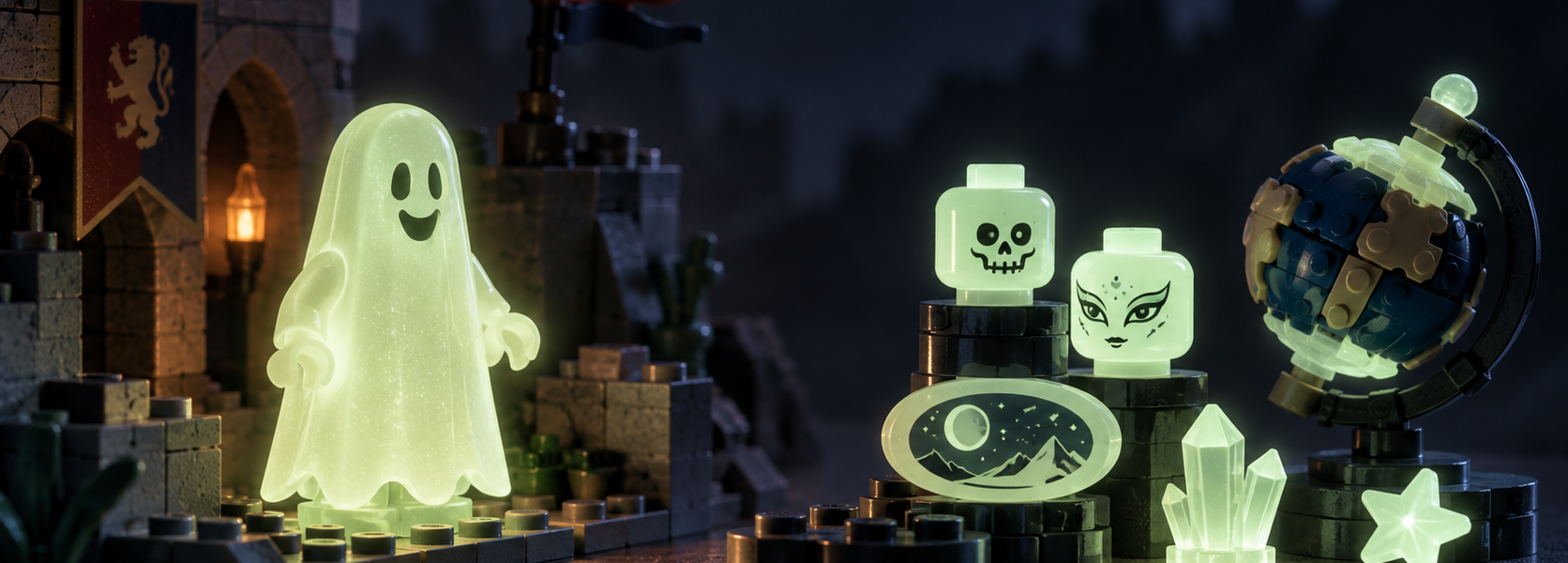
Glow-in-the-Dark LEGO: From a 1990 Castle Ghost to Modern Sets

Turn off the room lights and a LEGO model normally disappears into the shadows. In 1990, one little Castle character refused to cooperate. Its pale ghostly covering continued to glow, even though there was no bulb, battery or cable hidden inside. For anyone who encountered that figure as a child, the trick was wonderfully simple: ordinary-looking plastic suddenly behaved like something from a ghost story.
More than three decades later, glow-in-the-dark pieces still appear in LEGO sets. They have escaped haunted castles, turned up as unusual details in racing models and made their way onto a globe designed for adult display. The fascinating part is not just the effect. For collectors, glow-in-the-dark LEGO is also a story about different catalog colors, part numbers and the importance of knowing exactly which piece is supposed to glow.
The 1990 Castle ghost: a costume with a secret
Two LEGO Castle sets anchor this story: 6034 Black Monarch’s Ghost and 6081 King’s Mountain Fortress, both released in 1990. BrickLink’s inventory records show glow-in-the-dark elements in both sets. So although 6034 is often the best-remembered little haunted scene, it would be misleading to say the ghost was exclusive to that box.
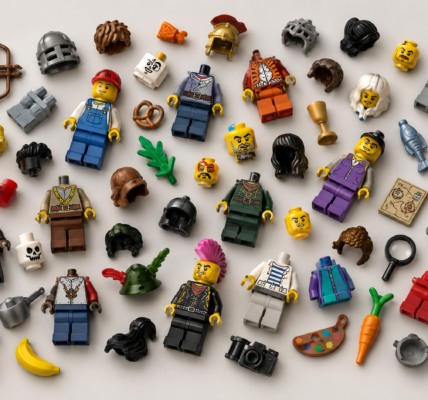
Look closely at the character and you’ll discover that the entire minifigure was not molded from glowing plastic. The classic ghost, cataloged by BrickLink as gen002, used an ordinary black head and white torso. Instead of standard minifigure legs, it had a white 1×2 brick and a white 1×2 plate. The crucial part was the smiling sheet-like cover: part 2588, cataloged in Glow In Dark Opaque.
That distinction matters when restoring an old Castle set. The shroud is the glow-in-the-dark component, not the regular white brick underneath. And the original construction—with brick-built legs rather than a conventional pair—is part of the figure’s identity. Replace everything by appearance alone and you can end up with a convincing ghost that isn’t the same cataloged figure.
It was a surprisingly effective design. One unusual molded cover gave a simple character a second appearance after the room went dark. The rest of the figure could use familiar LEGO elements.
Why a brick keeps glowing when the lights are off
The key phenomenon is phosphorescence. A phosphorescent material absorbs energy from light and then releases some of it gradually as visible light after the illumination is removed. That’s why a glow-in-the-dark piece generally appears brightest soon after exposure and fades over time. It doesn’t contain an endless supply of light, and it does not need a battery.
It’s also important to distinguish phosphorescence from fluorescence. A fluorescent object can appear striking under the right light, including ultraviolet illumination, but the effect stops very quickly when that light is removed. A phosphorescent material produces an afterglow. University of Colorado Boulder uses exactly this difference to demonstrate the two phenomena: after the UV source is switched off, the phosphorescent samples continue to emit visible light.
And here’s a common catalog trap: a bright translucent neon-green part is not automatically glow-in-the-dark. Nor is a light-up LEGO element with an LED or battery. Those may be visually dramatic, but they’re different effects. Color appearance in a photo, illumination under UV and a visible afterglow are three different pieces of evidence.
What chemicals did LEGO use in every generation? We can’t reliably answer that from a catalog color name. Different phosphorescent pigments exist, but without manufacturer documentation or material testing it would be guesswork to assign one exact chemical formulation to a particular Castle shroud or modern minifigure head.
Three BrickLink color names, not three interchangeable whites
BrickLink currently distinguishes three major glow-in-the-dark colors. They are especially useful for identifying older parts because its color ID is not the same as the LEGO manufacturer’s color number.
| BrickLink color | BrickLink ID | LEGO color name / code | BrickLink catalog timeline |
|---|---|---|---|
| Glow In Dark Opaque | 46 | Phosphorescent White / 50 | 1990–2011 |
| Glow In Dark Trans | 118 | Phosphorescent Green / 294 | 2005–2011 |
| Glow In Dark White | 159 | White Glow / 329 | 2011–2026 |
Those years describe recorded appearances in BrickLink’s catalog. They are not an official LEGO Group announcement of exact manufacturing changeover dates. Notice the overlap: the data does not support a neat story in which one formula vanished on December 31 and a new one arrived on January 1. Other color references place some transitions differently, so the catalog dates should be treated as identifying guidance rather than a universal production calendar.
The three names also warn against buying a replacement solely because a seller describes it as a ‘white glow part’. Glow In Dark White is the precise name of one BrickLink color; Glow In Dark Opaque is another. If you’re rebuilding a 1990 ghost, the old shroud’s correct identification matters far more than whether two photographs look equally pale.
2005: a glow-in-the-dark BIONICLE shape goes racing
Haunted houses seem a natural home for glowing plastic. A racing vehicle is a much less obvious one.
In 2005, LEGO Racers set 8650 Furious Slammer Racer included two pieces cataloged by BrickLink as x346 in Glow In Dark Trans. Their catalog name is wonderfully specific: BIONICLE 1×3 Tooth with Axle Hole (Bohrok Eye). In other words, a shape associated with a very different LEGO building vocabulary found a role in a racing set, in a special phosphorescent color.
BrickLink also records the same part and color combination in other 2005 Racers sets, including 8645, 8646 and 8647. The point isn’t that all the racers glowed or that the feature was a central selling point. It is that an individual part can quietly bridge themes. Catalog inventories reveal details that a box illustration may barely emphasize.
For a collector, that suggests an enjoyable detective exercise: don’t just search for whole ‘glowing sets’. Search for a part-and-color combination, then see which sets used it. You may discover a special material in a model that has nothing to do with monsters.
2012: Monster Fighters makes glow part of the scenery
The LEGO Monster Fighters theme, released in 2012, brought the supernatural setting back into focus. Its 9467 The Ghost Train had glowing decorations and three ghoul minifigures, as confirmed in LEGO’s own retrospective on the theme. Unlike the charmingly modest Castle ghost, the visual trick now belonged to a larger scene: a dark locomotive, flying carriages and eerie figures.
The figure designs had changed, too. BrickLink identifies a later ghost covering as part 10173, appearing in Glow In Dark White. Compare that with the old smiling shroud 2588 in Glow In Dark Opaque: similar narrative purpose, different mold and different catalog color. Monster Fighters also used the effect elsewhere, including the glowing skeletal horse and mummy in 9462 The Mummy, discussed by LEGO in the same retrospective.
This is where glow-in-the-dark pieces become more than one familiar childhood accessory. A glowing cover helps tell you that a character is a ghost; other glowing details help establish an entire environment. The designers can place little visual surprises around a model without a lighting circuit.
2022: a globe offers a completely different use
LEGO Ideas 21332 The Globe is an excellent reminder that phosphorescence doesn’t have to mean Halloween. The 2022 model is a rotating, vintage-inspired display piece, and its continent and ocean nameplates have a glow-in-the-dark feature confirmed by the LEGO Group’s launch materials.
There is an important technical wrinkle. The nameplates are decorated tiles cataloged in Glow In Dark White. For example, BrickLink lists the oval ‘ATLANTIC OCEAN’ tile as part 66857pb021 in that color. A printed design on a glow-in-the-dark substrate is not automatically the same thing as lettering printed with a special glowing ink. The official promotional wording focuses on the glowing names; the catalog tells us that the tile itself belongs to a phosphorescent color category. Those two statements should not be casually turned into an unsupported claim about the ink formula.
The model also marked another change in audience. A glow effect originally associated with a Castle play scene was now appearing in a globe meant to sit on a desk or shelf. The engineering principle was familiar, but the design purpose had evolved: a subtle second look after dark rather than a spooky character.
2026: Mayor Manor brings the effect back to minifigures
The newest stop in this short history is 11383 Mayor Manor, released in 2026 as the first entry in the LEGO Icons Midnight Valley Collection. Its official product description mentions three glow-in-the-dark minifigures. That’s accurate as a way of describing the characters, but it doesn’t tell us which physical parts glow.
A detailed Brickset review supplies the answer: the heads of the mayor, butler and maid glow in the dark. The clothes, legs and every accessory should not be assumed to do the same. The reviewer also makes clear that photographing the effect was difficult—a useful caution for anyone judging unusual parts from online pictures.
Brick Current has already explored the collection’s crooked architecture and Halloween-display potential in our separate article about Mayor Manor and Midnight Valley. What matters here is smaller, but arguably more revealing. In 1990 a glowing cover transformed an ordinary minifigure build into a ghost. In 2026 the light-storing material could be localized in a character’s head. Different construction, same little surprise when the lights go out.
How to identify a glow-in-the-dark LEGO part accurately
If you are trying to complete an older set or sort a mixed collection, guessing from the shade of white is rarely enough. A reliable identification process combines several checks:
- Start with the set inventory. If you know the set number, use its catalog record to see which mold and color combination it originally contained. Remember that inventory services can differ in how they record variants.
- Identify the mold separately from the color. The Castle shroud 2588 and later shroud 10173 are not identical parts. The Racers detail x346 is another distinct shape entirely.
- Use the exact BrickLink color ID. IDs 46, 118 and 159 point to three catalog categories. Do not mistake them for the LEGO manufacturer’s codes 50, 294 and 329.
- Distinguish printing from base material. A decorated plate or minifigure head can be cataloged in a glow-in-the-dark color even though the printed graphics are not demonstrated to use glowing ink.
- Check photographs critically. Exposure, white balance and post-processing can make a part appear brighter, greener or whiter than it looks in person. A photo in ordinary light is not proof of afterglow.
Where appropriate, you can observe a piece after exposure to a normal light source in a darkened room. The result can help establish whether it has a visible afterglow, but this isn’t a precise materials test or a substitute for matching the original catalog entry. Avoid using an intense UV lamp without understanding its eye and skin hazards.
Should an original 1990 ghost still glow?
It’s tempting to turn this into a contest: old Castle shroud versus modern White Glow head, measured by the number of minutes each stays visible. But without controlled measurements of representative parts, that would be guesswork.
Afterglow depends on several factors, including how the material was illuminated, how much light reached it, the conditions of observation and the material itself. A vintage piece that looks entirely ordinary in daylight may still show an afterglow. Conversely, a bright photograph does not tell you how long that glow lasts or whether another piece is objectively better.
We have not physically tested specimens from 1990, 2012 and 2026 under comparable conditions. Nor do catalog listings document a tested lifetime for each formulation. For collectors, it’s sensible to treat authenticity, physical condition and visible afterglow as related but separate questions. The first two may often be investigated from mold, color and provenance; the third requires observation rather than assumptions.
A small change of material can change an entire set
The thread connecting Black Monarch’s Ghost, a 2005 racing detail, Monster Fighters, The Globe and Mayor Manor isn’t a single uninterrupted product line. It’s a design possibility that LEGO has returned to in very different contexts. A tiny amount of special material can make a character, accessory or display model reveal a second appearance after dark.
For those who build, that’s a pleasing trick. For those who collect, it is also an invitation to look more closely at inventories and color names. Sometimes the most interesting story in a LEGO set is not the largest model, the rarest minifigure or the most complicated mechanism. Sometimes it’s the one piece that refuses to disappear when you switch off the light.
Sources and reference catalogs
- BrickLink: 1990 sets containing Glow In Dark Opaque, including 6034 and 6081.
- BrickLink: classic ghost minifigure gen002 inventory and its shroud, part 2588.
- BrickLink Color Guide, with official-color mappings and catalog date ranges.
- Brickset: 6034 Black Monarch’s Ghost.
- BrickLink: BIONICLE tooth x346 in Glow In Dark Trans, including LEGO Racers 8650.
- LEGO: official Monster Fighters retrospective and BrickLink: later ghost shroud 10173.
- The LEGO Group: The Globe launch, January 2022; BrickLink: printed Atlantic Ocean nameplate 66857pb021.
- LEGO: Mayor Manor 11383 official product page and Brickset: Mayor Manor review and glowing heads.
- University of Colorado Boulder: Fluorescence and Phosphorescence demonstration.