
Why Does One LEGO Piece Have Several Numbers? Design ID vs Element ID Explained

A number molded into a LEGO brick may not match the number printed in the instructions — and neither may match the number you see on BrickLink. That can make identifying a loose part surprisingly confusing, especially when you are trying to replace a missing element or rebuild an older set.
The reason is that LEGO parts can be described with several different numbering systems. The most important are the Design ID, the Element ID and, when using BrickLink, the platform’s own Item Number.
They are related, but they do not mean the same thing.
What is a LEGO Design ID?
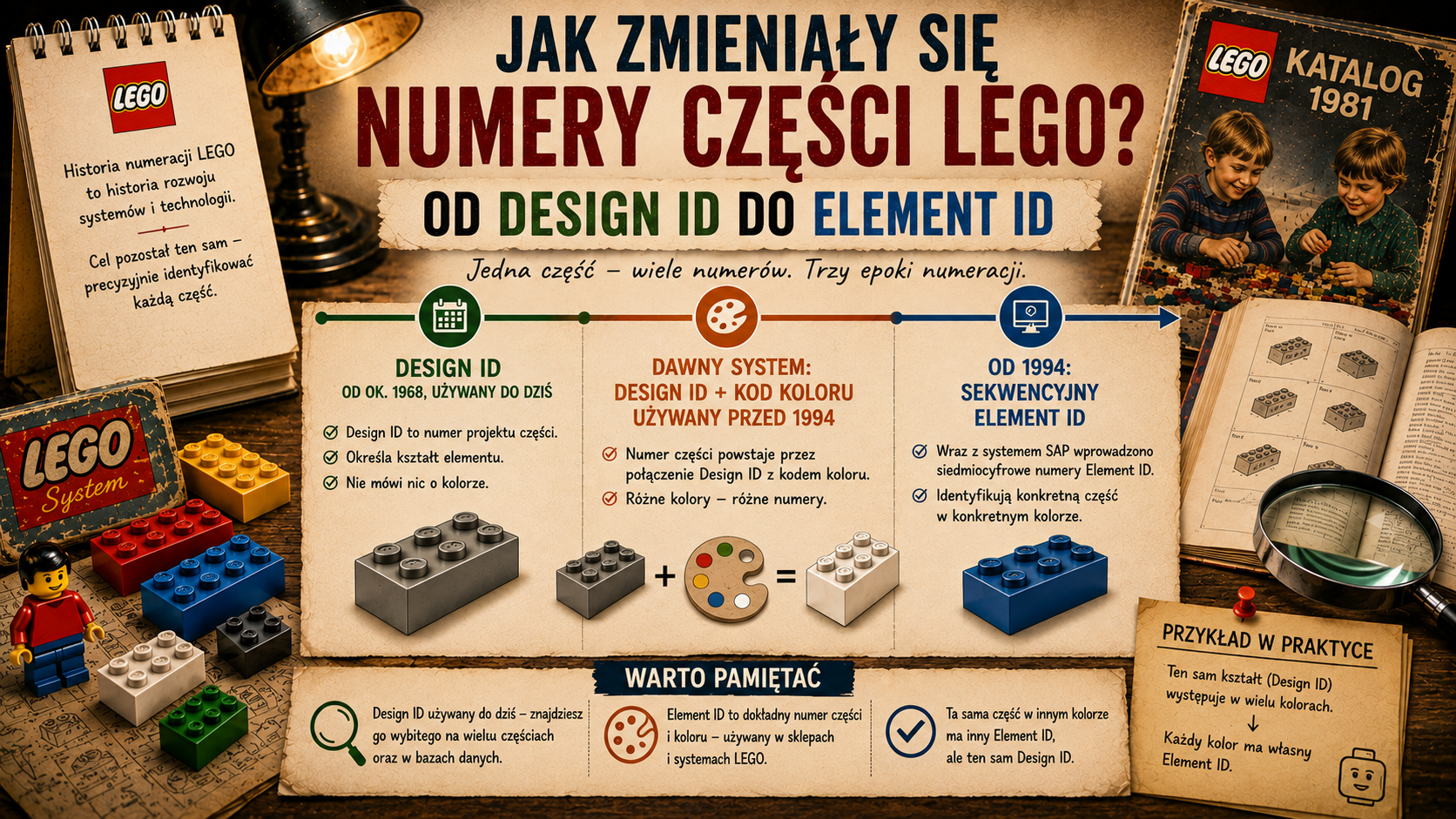
The Design ID identifies the design or shape of a LEGO part.
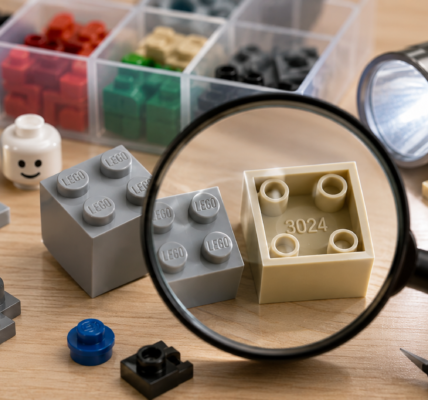
LEGO explains that many pieces have a four- or five-digit design number molded into the part itself. It can be very small and may only become visible when the piece is rotated under a strong light. LEGO specifically recommends using the design number together with the colour when trying to identify a loose element.
This is the number that is often most useful when you are holding an unidentified brick in your hand. It tells you what kind of part you are looking at, rather than identifying one particular colour version of it.
In other words, think of the Design ID as describing the underlying geometry of the piece.
What is an Element ID?
An Element ID identifies a more specific LEGO element.
BrickLink’s Studio documentation describes the distinction clearly: LEGO uses a Design ID for the shape of a part and an Element ID for a combination of shape and colour. BrickLink notes that Element IDs are seven digits long in the current system and are the numbers normally printed in the parts inventory at the back of official LEGO instructions.
LEGO itself confirms that newer building instructions list element numbers in their parts inventories. It also allows both element numbers and design numbers to be entered when searching for pieces through its replacement-parts services and Pick a Brick.
This explains one of the most common sources of confusion. You may find one short number molded into the physical part, but a much longer number in the instruction booklet. Both can be correct because they are identifying the piece at different levels.
Why can the same shape have several numbers?
Colour is one obvious reason.
If the same design is produced in several colours, those versions can have different Element IDs even though the basic shape is unchanged. That is useful when LEGO needs to distinguish exactly which physical element belongs in a particular set.
Numbers can also change over time. LEGO notes that older piece numbers may no longer return results and recommends checking whether a newer number exists.
That means a collector working with an older set may encounter several generations of identifiers for what appears, at first glance, to be essentially the same part.
Mould revisions and cataloguing differences add another layer. Small changes to a mould do not always create a completely new identity everywhere that LEGO parts are catalogued. This becomes particularly noticeable when comparing LEGO’s own systems with databases maintained for collectors.
Why BrickLink numbers do not always match LEGO numbers
BrickLink and BrickLink Studio use their own Item Number.
According to BrickLink’s Studio Help Center, the Item Number is generally based on LEGO’s Design ID, but it is not guaranteed to be identical. BrickLink may group or distinguish parts differently because LEGO can use different numbers for the same part over time, or because decorated and undecorated variants need to be organised consistently in the BrickLink catalogue.
This is why copying a number directly from a LEGO instruction booklet into BrickLink does not always lead to the result you expect.
The BrickLink number is best understood as a catalogue identifier used by BrickLink rather than as a universal LEGO number.
A simple example: the classic 2×4 brick
The familiar 2×4 brick shows how these systems overlap.
BrickLink catalogues the standard 2×4 brick primarily as Item No. 3001. However, the same catalogue entry lists several alternate item numbers, including 3556, 15589, 54534 and 72841. BrickLink also notes that the part exists in numerous mould variants.
Once colour is taken into account, the numbers become more specific. For example, BrickLink identifies 4211385 as an Element ID for the 2×4 brick in Light Bluish Gray, while another colour can have a different Element ID.
So three statements can all be true at the same time:
- the shape may be recognised by a Design ID,
- BrickLink may catalogue it under Item No. 3001,
- a specific colour version may have its own seven-digit Element ID.
That is not duplication by mistake. Each identifier serves a different purpose.
Where can you find the number on a physical LEGO piece?
If you have a loose part with no packaging or instructions, start by looking inside or underneath it.
LEGO says that many pieces contain a four- or five-digit design number molded into the plastic. Because the marking is small and can be difficult to read, bright directional light helps.
A phone camera with macro mode or simple magnification can also make the number easier to read.
Once you have the molded number, note the colour separately. The combination of shape and colour is often enough to narrow the search substantially.
Which number should you use when searching for a replacement?
It depends on what information you already have.
If you have the original instruction booklet, the Element ID printed in the parts inventory is often the quickest starting point because it identifies the specific element required by that set.
If you only have a loose brick, the molded Design ID is usually more useful. LEGO allows searches by both design and element numbers on its parts services, including Pick a Brick.
If you are shopping on BrickLink, use the BrickLink Item Number once you have identified the correct catalogue entry. BrickLink itself recommends checking its catalogue when a LEGO number does not return the expected result in Studio.
For older parts, be prepared to encounter alternate numbers. LEGO explicitly notes that piece numbers can change over time.
Design ID vs Element ID vs BrickLink Item Number
| Identifier | What it describes | Where you may find it | Best use |
|---|---|---|---|
| Design ID | The design or shape of a part | Often molded into the physical piece | Identifying an unknown loose part |
| Element ID | A specific element, typically combining design and colour | Parts inventories in LEGO instructions and LEGO systems | Finding the exact replacement used in a set |
| BrickLink Item Number | BrickLink’s catalogue identity for a part | BrickLink and BrickLink Studio | Buying, cataloguing and searching on BrickLink |
Why this matters to collectors and builders
Understanding the numbering system saves time when sorting collections, rebuilding old sets and ordering replacements.
Without that distinction, it is easy to assume that a number must be wrong simply because two databases show different values. In reality, one may describe the design, another the exact colour variant and another the way a marketplace catalogues the part.
This becomes increasingly useful as a collection grows. Once you know which number you are looking at, searching large inventories becomes much more precise.
The shortest rule to remember is this: Design ID identifies the shape, Element ID identifies the specific element, and BrickLink Item Number identifies the catalogue entry used by BrickLink.
Sources
- LEGO Help — Identifying LEGO set and piece numbers.
- LEGO Help — How to find special LEGO pieces.
- BrickLink Studio Help Center — Missing parts / part numbers.
- BrickLink catalogue — Brick 2 x 4, Item No. 3001.