
How to Manage Your LEGO Collection in Rebrickable and See What You Can Build

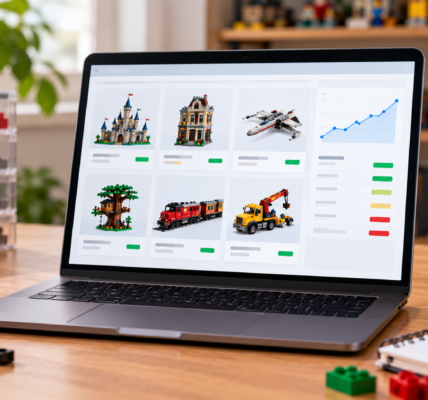
Brickset is excellent for answering “what do I own?”, but Rebrickable goes a step further: it helps answer “what can I build with it?” That is the focus of part two of our Digital LEGO Collection series.
Rebrickable can store both complete sets and loose parts. The real strength is that not everything has to be treated as available building stock. You can keep display sets in your collection while excluding their parts from build calculations.
Separate complete sets from loose parts
A practical Rebrickable collection is easiest to understand as two layers: Set Lists and Part Lists.
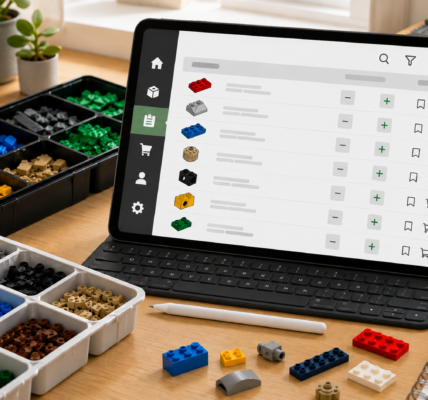
Set Lists group complete sets — for example “built”, “to dismantle”, “storage”, “Technic” or “kids”. Part Lists are better for loose elements that are not tied to a specific set.
This is much more flexible than a single owned/not-owned flag. You may own 100 sets, but only want 20 of them to count as sources of parts for new builds.
Not every set has to count as available parts
One of Rebrickable’s most useful ideas is that lists can be included in or excluded from build calculations.
If you have a large castle on display and do not plan to dismantle it, you can still keep it in the database without letting Rebrickable treat all of its pieces as available for other projects.
The same logic applies to Part Lists. Some lists can feed build calculations, while others can be kept separate.
Keep loose parts in their own lists
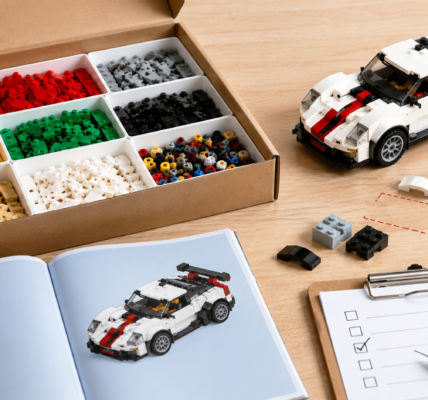
If you have tubs of mixed bricks, it is better to record them as loose parts rather than pretend they belong to complete sets. Rebrickable lets you store loose pieces in separate lists and record quantities.
This works especially well after buying a mixed bulk lot, dismantling an old MOC or keeping a dedicated technical-parts inventory. Your digital collection then reflects what is actually available, not just what should theoretically be inside the boxes you own.
Build this Set shows what you are actually missing
On set pages, Rebrickable’s Build this Set functionality can compare the required inventory with your saved collection.
Instead of showing the full parts list, the system can focus on what you still need. That changes the question from “how many pieces does this set have?” to “how much of it do I already own, and what exactly is missing?”
If the shortage is small, those missing elements can later be moved into a purchasing workflow such as a BrickLink Wanted List. That is the subject of part three.
Your collection connects directly to models and MOCs
Rebrickable links parts to the sets and builds that use them and also maps part and color identifiers across catalog systems.
That means your collection is not just a static inventory. It can be used to discover sets, alternate builds and MOCs that you may be able to build fully or almost fully from the parts you already own.
The most important setup is your “available to build” pool
A common mistake is to put everything into one shared pool. Rebrickable may then assume that pieces from display models are available even when you have no intention of taking those models apart.
A better structure is:
- display sets — kept in the collection but excluded from build calculations,
- sets available to dismantle — included in calculations,
- loose parts — stored in a Part List used for building,
- reserved parts — kept in a separate list and excluded.
This makes “you can build this” results much closer to reality.
Rebrickable does not replace physical sorting
A digital inventory cannot tell you which drawer contains a specific 1×2 plate unless you build that location system yourself. Rebrickable complements physical sorting, but it does not replace it.
For large collections, it helps to keep similar logic in both systems — for example separate lists for Technic, minifigure parts or loose stock, matched by a similar layout in storage drawers and bins.
When is Rebrickable better than Brickset?
Rebrickable is usually the better choice if you:
- own a lot of loose parts,
- regularly dismantle sets and build something new,
- want to check what is missing from a specific model,
- use alternate builds and MOCs,
- want to separate untouchable display sets from parts available for building.
If your main goal is simply to maintain a clean catalog of complete sets and minifigures, Brickset remains the simpler tool.
Digital LEGO Collection — Part 2 of 3
Part one used Brickset to answer “what do I own?”. Rebrickable changes the question to “what can I build with it?”
Part three will move to BrickLink and the question “what am I missing and how do I manage it?” — including Wanted Lists, missing parts, data import and purchasing organization.